Most companies run on a patchwork of CRM, spreadsheets, shipping tools and accounting. TabletCRM puts sales, service, purchasing and inventory on one connected route — synced with your accounting system, with no double data entry.
✓ No credit card required ✓ Web + mobile ✓ Accounting-connected workflows
Sales, operations & accounting — all connected together
300+
300+ Companies Helped
Across multiple industries and business models.
25+
25+ Years Experience
CRM, ERP and business automation expertise.
★ 5.0
5.0 Google Rating
Customer-rated implementation and support.
YOUR ROUTE THROUGH TABLETCRM
Six destinations. One connected road.
Most of the destinations below are separate products somewhere else — stitched together with spreadsheets and re-typing. In TabletCRM they’re one road. Scroll down and take the drive, or jump ahead to any destination.
Ensure that no opportunity is left untouched — every inquiry captured, assigned and followed up before it goes cold.
THE CHALLENGE
Prospects get keyed straight into accounting — or into nothing at all.
Many CRMs are little more than shared address books, so teams fall back on spreadsheets and sticky notes, or clog QuickBooks with prospects who may never order. Leads go cold while nobody is sure who owns them.
THE TABLETCRM WAY →
Work every lead in the CRM. Send it to accounting only when it buys.
TabletCRM manages the entire sales-lead process up front. When a prospect is ready to order, a few clicks pass the account into your accounting system — without any double data entry.
DESTINATION 02 · Proposal and Opportunity Tracking
DESTINATION 02
Proposal and Opportunity Tracking
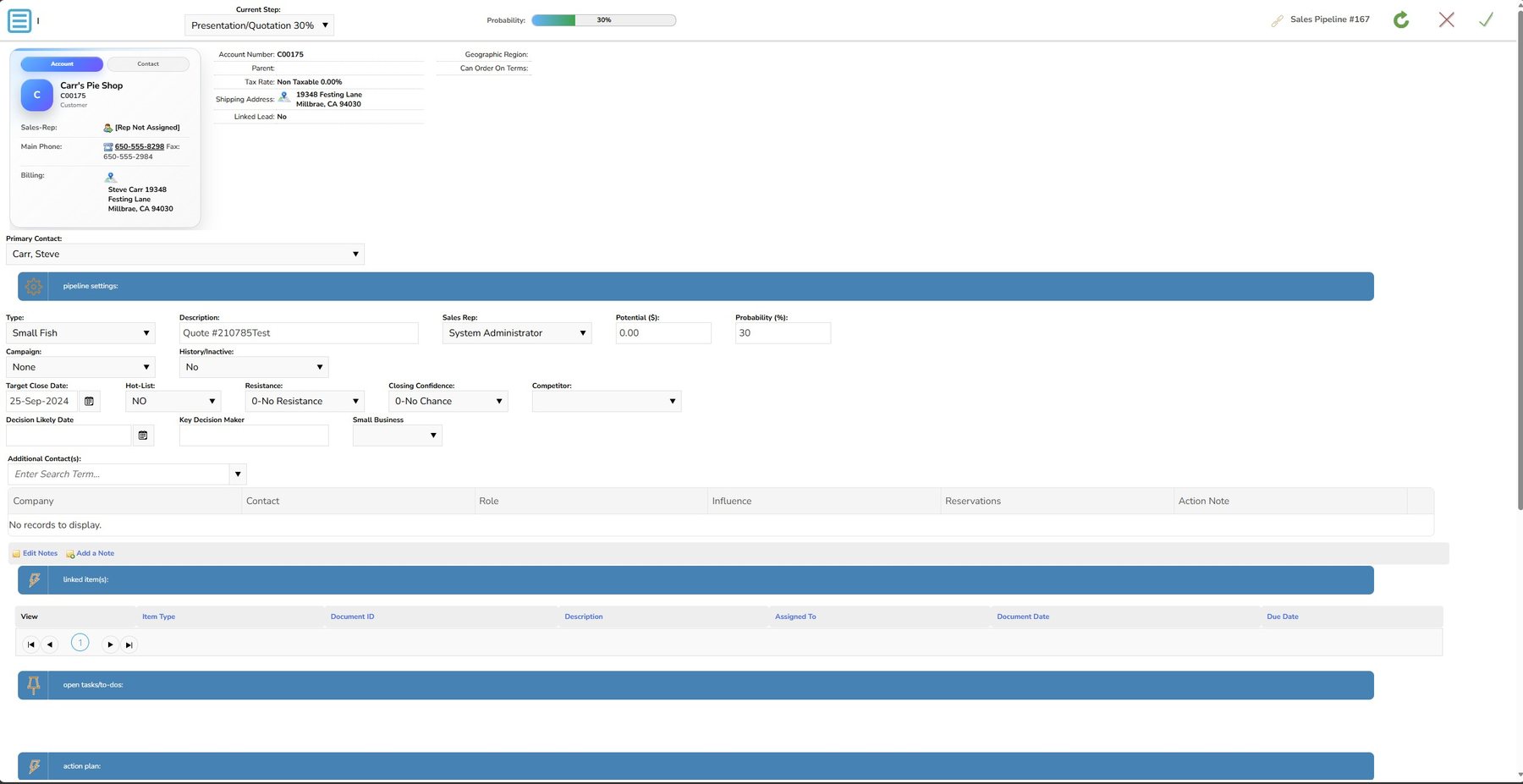
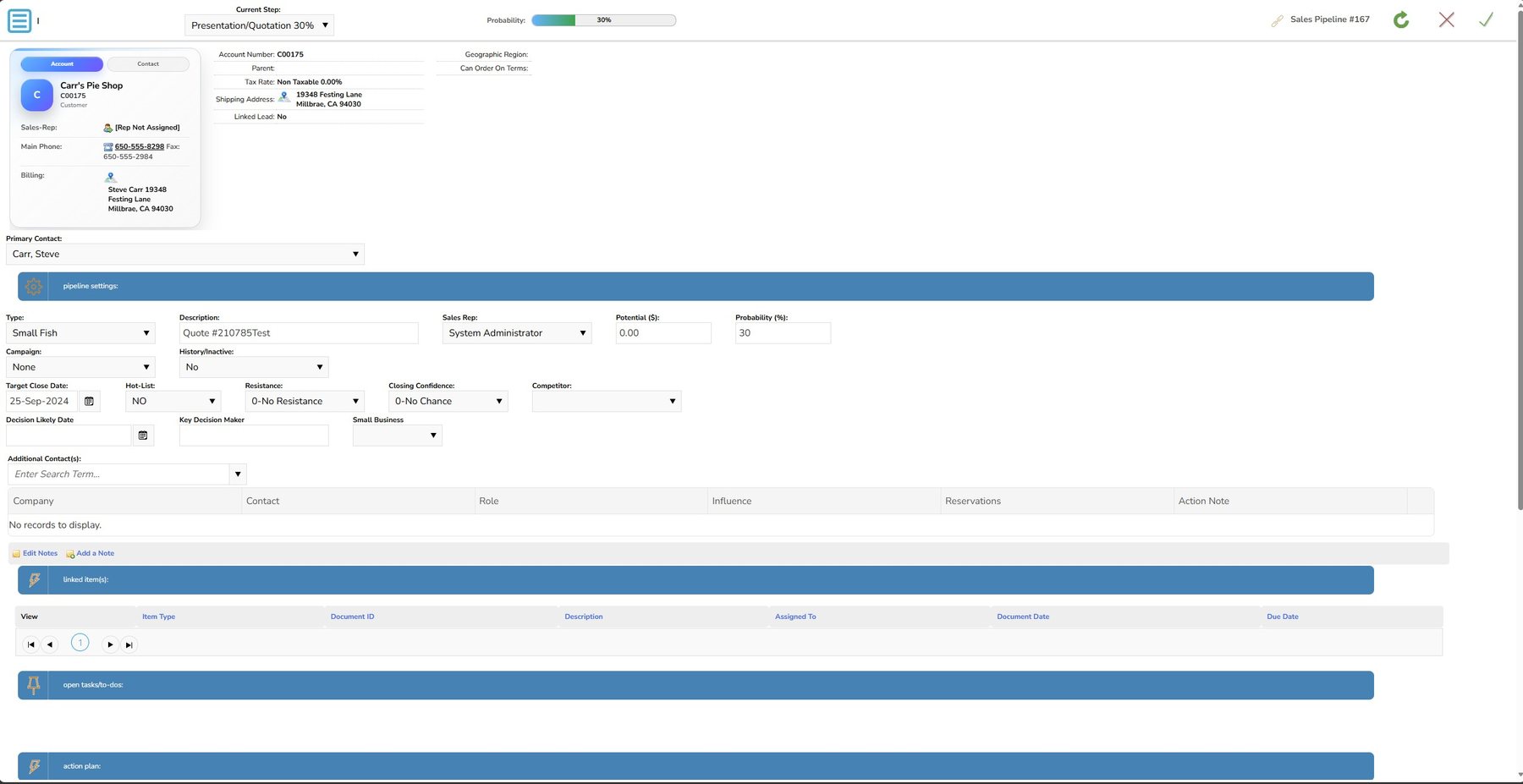
Turn qualified leads into signed proposals — with real pricing, real margins and a pipeline everyone can see.
THE CHALLENGE
Proposals built in Word. Pipelines kept in someone’s head.
Typical CRMs track a deal stage but leave the actual quote to word processors and spreadsheets — with stale prices, guessed margins and commissions worked out by hand at month end.
THE TABLETCRM WAY →
Quote from live pricing, then track every opportunity to the close.
Proposals pull real-time stock, cost and customer price levels, generate as polished PDFs and capture e-signatures, while quota, commission and margin tracking update as the deal moves.
Opportunity (pipeline) tracking
PDF proposal generation with e-signature capture
20 configurable customer price levels
Promotional pricing and bulk discounting
Real-time sales quota tracking and built-in commissions
When the customer says yes, the order should move — not get typed in again.
THE CHALLENGE
One order, typed three times.
In most setups the CRM hands off to accounting, which hands off to a shipping tool. Every handoff is another re-key, another typo and another delay between the sale and the shipment.
THE TABLETCRM WAY →
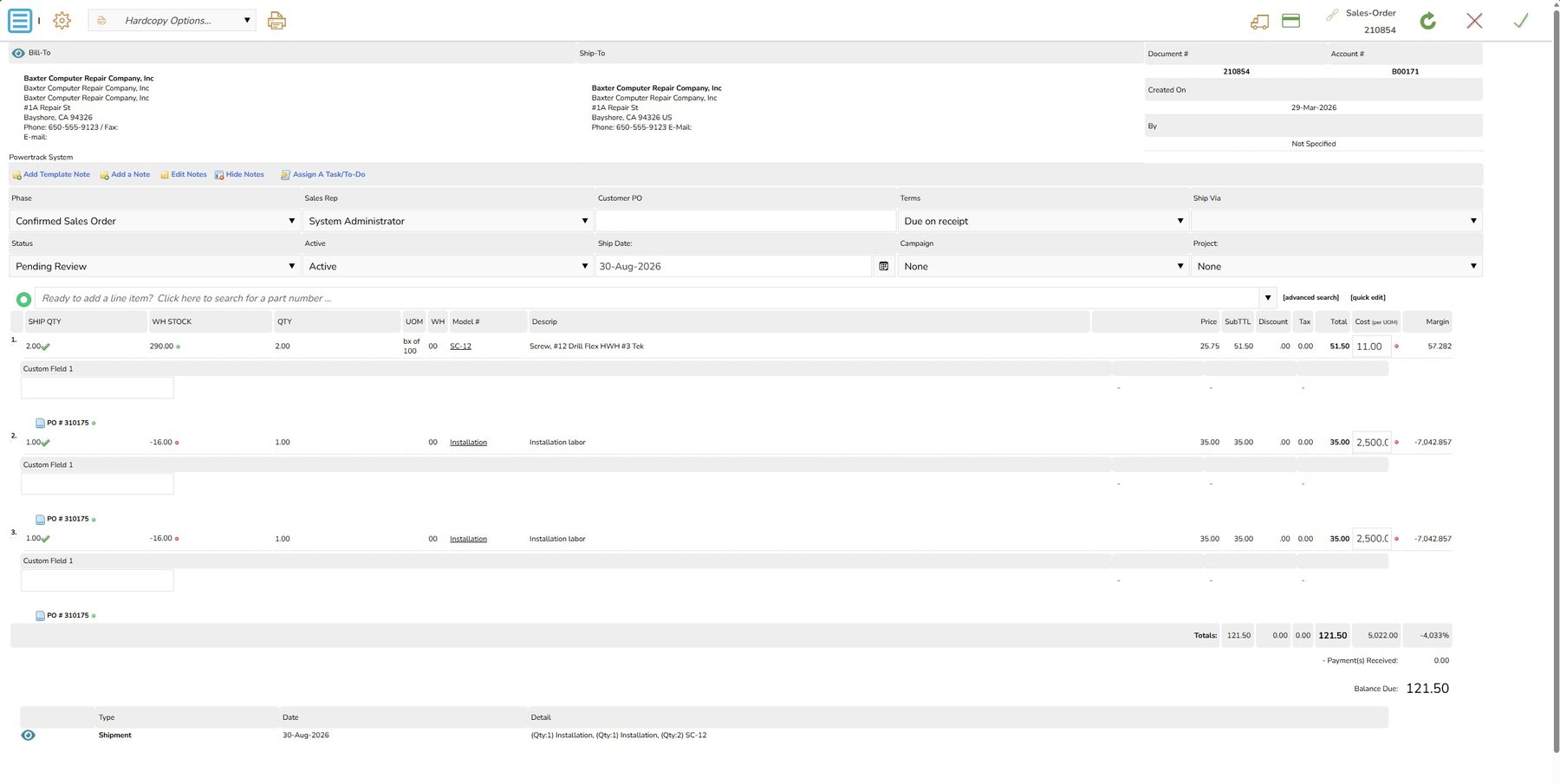
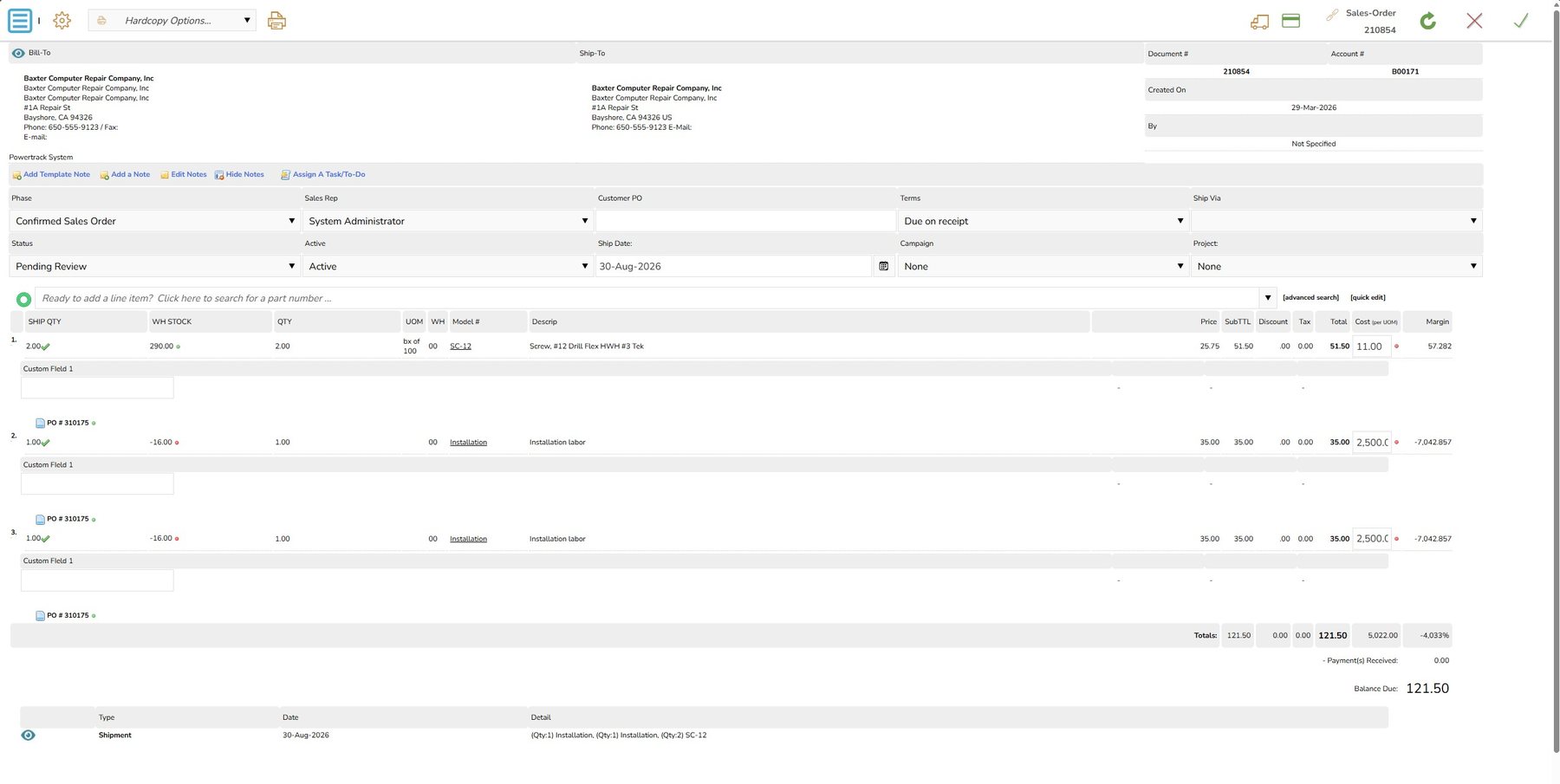
Convert the approved proposal into an order and ship it from the same screen.
Payments, picking, labels and tracking all live on the order, and the completed transaction posts to your accounting system automatically.
Payment and order processing
Bar-code enabled picking and shipping
Integrated UPS, FedEx, USPS and Canada Post labels
Buy what you need, when you need it — and let sales see it coming.
THE CHALLENGE
The CRM ends at the sale. Purchasing lives in e-mail.
Most CRMs have no idea what’s on order. Buyers work from spreadsheets and inboxes, receiving is a clipboard exercise, and sales can’t tell a customer when a backordered item will arrive.
THE TABLETCRM WAY →
Purchase orders, vendors and receiving — connected to the demand that created them.
Create POs from real sales demand, compare pricing across vendors, and scan items in at the dock so on-hand and incoming quantities update the moment they arrive.
Capture lost service revenue and take your customer service to the next level.
THE CHALLENGE
Service runs in a separate ticket tool — and billable time disappears.
Bolt-on help desks don’t know what the customer bought, technicians track hours on paper, and parts and labor slip through the cracks before an invoice is ever written.
THE TABLETCRM WAY →
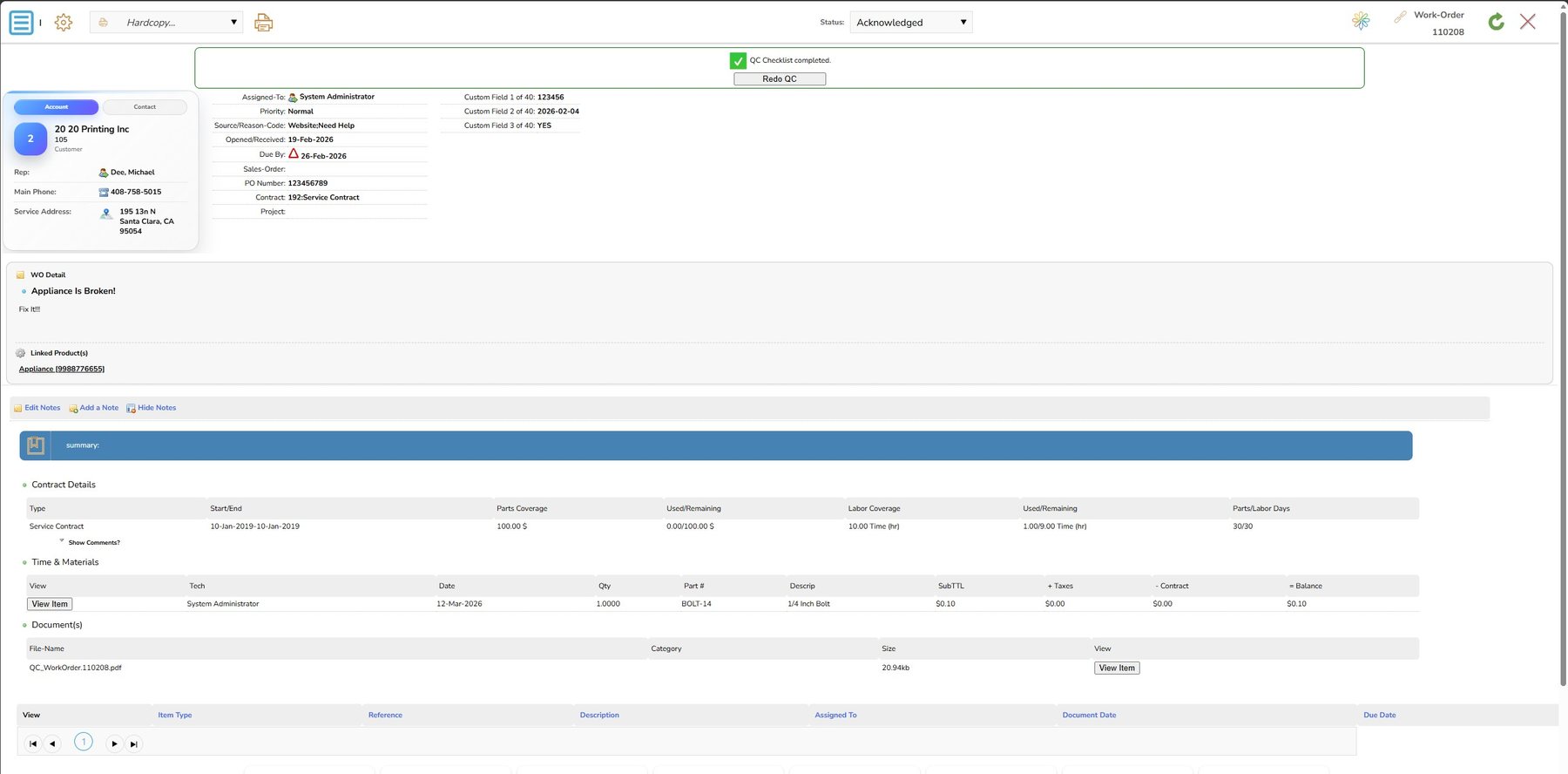
Work orders, scheduling and billing on the same customer record.
Dispatch the right people and resources, track time, parts and warranty status on the job, then invoice and collect payment on-site with an e-signature.
Work-order management
Multi-resource scheduling
Time tracking with pre-configured service rates
Parts, supplies and serialized products
Warranty and RMA processing
On-site invoicing, payment and e-signature
Customer self-service and integrated knowledge base
Know what you have, where it is, where it’s going — and when you’re going to need more.
THE CHALLENGE
Inventory counts that are always a day behind.
When stock is updated in accounting after the fact, sales promises product that isn’t there, each warehouse keeps its own count, and reorder decisions come down to a guess.
THE TABLETCRM WAY →
Real-time, bar-coded inventory across every location.
Every quote, order, PO, receipt and work order moves stock in real time, so availability, assemblies and reorder needs stay current at every warehouse.
Everything arrives in your accounting system — without double entry.
No fumbling with field mappings or testing third-party connectors. With a few simple clicks your front-office to back-office processes are connected, and the real-time integration runs as hands-off as it possibly can.
01
Accounting Integration
Real-time posting to QuickBooks Enterprise, QuickBooks Online and Xero, so finance and operations always work from the same numbers.
02
Commerce & Payments
Bring WooCommerce, Shopify, Magento, Amazon and eBay orders in alongside Authorize.NET and PayPal payment processing.
03
Shipping & Communication
Rate and label with UPS, FedEx, USPS and Canada Post, and track customer e-mail through Office 365 and Gmail.
POSTS DIRECTLY TO YOUR ACCOUNTING
CHOOSE YOUR PATH
Start with the business problem you need to solve.
TabletCRM can be deployed around accounting connectivity, specialized workflows or multi-location operations without changing the underlying platform.
QB
CRM for QuickBooks
Extend QuickBooks with sales, service and operational workflows while keeping accounting at the financial core.
Tell us where your business is headed. In a 30-minute demo we’ll walk your workflows through every destination — then you can start with the areas that matter most today and expand as you grow.